
How to Reduce Customer Churn with Proactive Live Chat Support
Most businesses treat live chat as a reactive tool: a customer runs into a problem and opens a chat window. But the companies seeing the strongest retention results in 2026 have flipped that model. They use live chat proactively, reaching out to customers before problems surface rather than waiting for frustration to force contact. This guide covers the strategy, the triggers, the scripts, and the evidence behind proactive chat as a churn reduction tool. If you are building your overall support structure, our live chat vs AI chatbot comparison covers how to decide which model fits your operation before you invest in either.
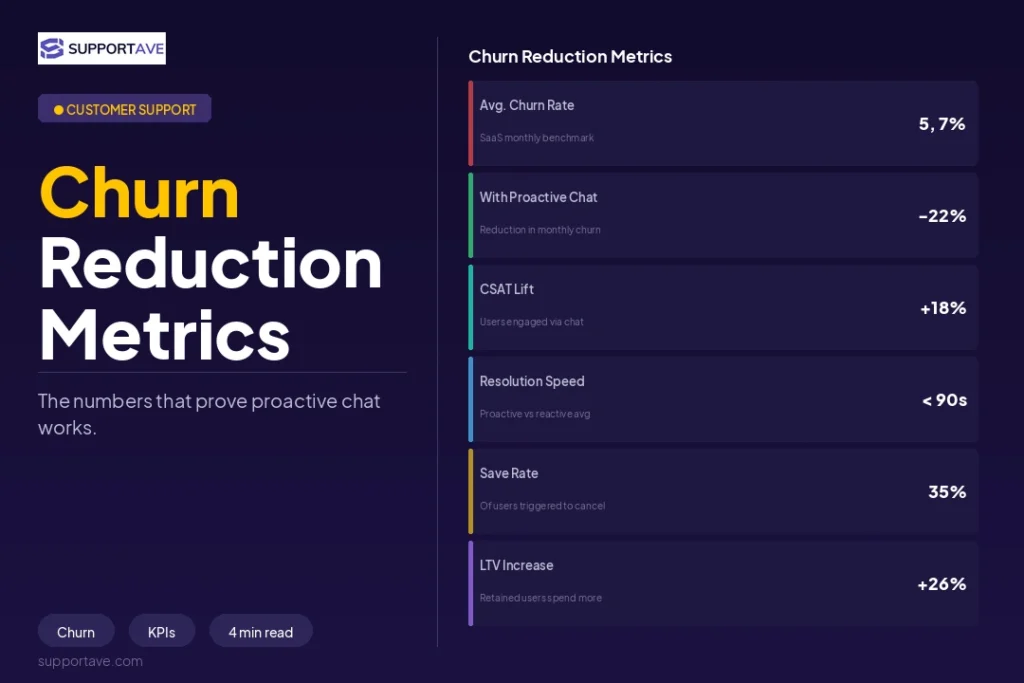
Quick Answer: Proactive live chat reduces customer churn by identifying and intervening at the moments customers are most likely to disengage: during checkout hesitation, after a failed action, during onboarding, and before renewal. According to LiveSession’s 2026 churn analysis, a SaaS tool that added proactive live chat support reduced churn by 18% within one quarter by addressing issues in real time rather than waiting for a cancellation request.
Why Reactive Support Misses Most Churn
Customers who are about to churn rarely raise their hand before they leave. According to Churn Buster’s 2026 analysis across 1,000+ subscription businesses, most churn is predictable 30 to 90 days before cancellation: declining usage, reduced feature engagement, and support ticket spikes all precede cancellation and create an intervention window, but only if you are monitoring those signals.
The problem with reactive support is that it only responds to the customers who contact you. The customers most likely to churn are often the ones who say nothing. They disengage quietly, let the subscription lapse, and move on. Reactive chat only reaches the vocal minority. Proactive chat reaches the silent majority who are silently deciding whether your product or service is worth keeping.
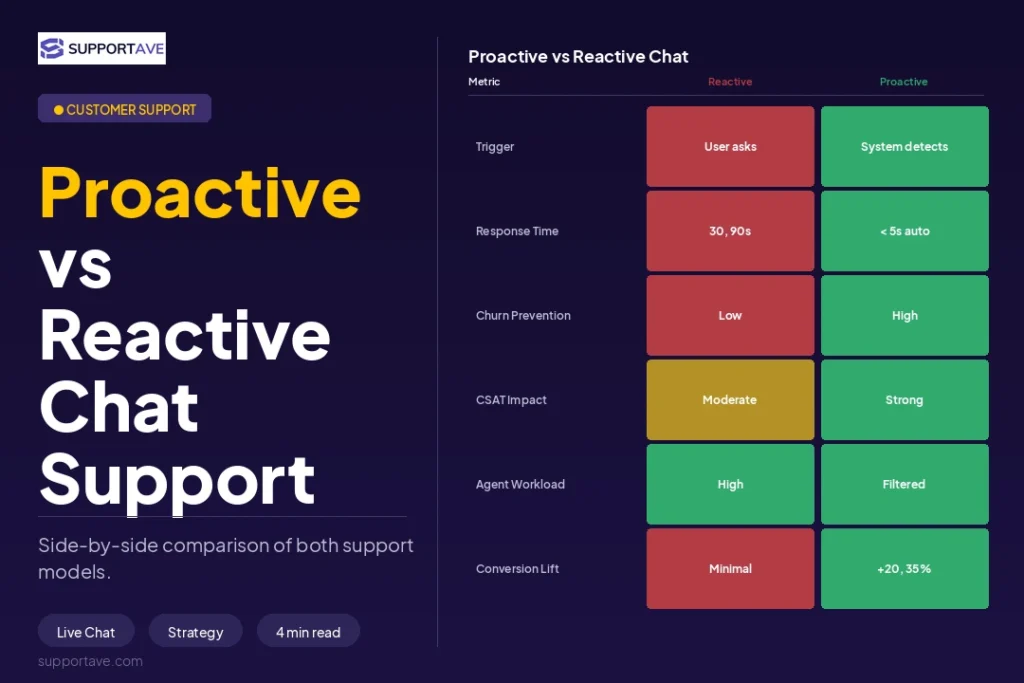
According to Digital Applied’s 2026 customer retention automation guide, reactive retention (responding after cancellation) converts at 15 to 20%. Proactive retention, intervening before customers decide to leave, converts at 60 to 80%. The earlier you engage, the higher your save rate. That gap is the entire business case for proactive live chat.
The Four Moments to Trigger Proactive Live Chat
1. Checkout and High-Intent Page Hesitation
A visitor who has spent more than 90 seconds on your pricing page, or who has added items to a cart and stopped moving, is experiencing friction. They have a question, an objection, or a hesitation they have not voiced. A proactive chat message at this exact moment captures intent before it dissipates.
Effective trigger configuration: set a chat invitation to appear after 60 to 90 seconds on a pricing page or after 30 to 45 seconds of cart inactivity. The message should be direct and friction-free. Something like: ‘Have a question about pricing? I can help right now.’ Not: ‘Hi! How can we help you today?’ Specificity performs better than open-ended openers because it signals you already know what the visitor is trying to do.
According to Oscar Chat’s 2026 retention analysis, proactive chat interventions during checkout hesitation reduce cart abandonment by 20 to 30% compared to sessions where no proactive message appears. At an average cart value of $150, that is a measurable revenue impact per day.
2. Onboarding Friction Points
The first 30 days after a customer signs up, subscribes, or purchases are where the retention decision is most often made, yet most businesses leave customers to navigate onboarding without any proactive contact. According to Digital Applied’s retention data, customers who experience friction in onboarding and do not receive help in real time are significantly more likely to churn than those who receive immediate, proactive guidance.
Trigger proactive chat at onboarding milestones: when a user has been in the account for 10 minutes without completing a key action, when they return to a setup screen more than twice, or when they visit a help article related to a core feature and then navigate back to the product. These behaviours signal that something is not clicking, and a proactive chat prompt at this moment often resolves the issue in minutes rather than letting it become a reason to cancel.
3. Renewal and Pre-Cancellation Windows
For subscription businesses, the period 7 to 14 days before renewal is when customers evaluate whether the product has delivered sufficient value to justify another payment. A proactive check-in at this point, not a promotional push, but a genuine ‘how is everything going’ from a real agent or a well-configured AI chat, surfaces concerns while there is still time to address them.
Churn Buster’s research shows that businesses sending proactive communication before renewal reduce hesitation and churn compared to those that only communicate after a payment fails or a cancellation is submitted. The combination of a proactive email and a live chat availability prompt during the renewal window addresses questions and reinforces value at the highest-stakes moment.
4. Post-Problem Follow-Up
A customer who has recently submitted a complaint, a refund request, or a negative survey response is a churn risk even after the issue is technically resolved. The resolution closes the ticket but rarely closes the emotional gap. A proactive chat follow-up 24 to 48 hours after a resolution, simply checking whether everything is now working as expected, converts a negative experience into a demonstration of care that measurably improves retention among complaint-submitting customers.
How to Reduce Customer Churn Live Chat Through Behavioural Triggers
The technical implementation of proactive chat requires connecting your chat platform to behavioural data. The most common configuration uses your chat software’s trigger rules combined with page analytics. Here is a practical trigger library to start with:
- Time on pricing page exceeds 90 seconds: trigger ‘Have a question about our plans? I am here.’
- Cart inactivity exceeds 45 seconds: trigger ‘Still deciding? I can answer any questions about your order.’
- User visits the cancellation or account settings page: trigger immediately. ‘Before you go, is there anything I can help resolve?’ This single trigger has the highest save rate of any proactive chat intervention.
- Help article viewed, then product page returned to: trigger ‘Looks like you were checking out our setup guide. Can I help you get that working?’
- Account inactive for 7 days (re-engagement): trigger or follow-up email with live chat option. ‘We noticed you have not logged in recently. Is there anything we can help with?’
- NPS score of 6 or below submitted: trigger within 2 hours. ‘Thank you for your feedback. I would love to understand what we can do better, do you have a few minutes?’
Configuration note: Do not trigger more than one proactive message per session per visitor. Multiple triggers are perceived as intrusive and perform worse than a single, well-timed, contextually relevant message. Specificity and timing matter far more than frequency.
Scripts That Convert: What to Say in a Proactive Chat
The opening message is everything. A generic opener gets ignored. A specific, low-pressure opener that signals you already know the context the visitor is in gets responses. Here are four tested formats:
- Checkout hesitation: ‘Looks like you are comparing our plans. I can walk you through the differences in about 2 minutes, or answer any specific questions you have.’
- Onboarding stuck: ‘Setting up [feature name] can take a few attempts, can I walk you through it quickly?’
- Pre-cancellation: ‘Before you make any changes to your account, I would love to understand what is not working for you. Sometimes there is a fix that takes less than 5 minutes.’
- Post-complaint follow-up: ‘I wanted to check in after we resolved your recent issue. Is everything working the way you expected now?’
Each opener does three things: it signals the agent already understands the context, it removes pressure by framing the interaction as brief and helpful rather than a sales pitch, and it includes a specific question or offer rather than a vague invitation to talk.
Measuring Whether Proactive Chat Is Reducing Churn
The metrics to track from day one:
- Chat-to-save rate: of customers who receive a proactive chat when showing churn signals (cancellation page, long pricing page dwell), what percentage remain subscribed after the interaction? This is your clearest direct metric.
- 30-day retention cohort comparison: compare the 30-day retention of customers who received proactive chat during onboarding versus those who did not. The gap between these cohorts is the value proactive chat generates.
- CSAT after proactive chat: proactive chat that feels intrusive generates lower CSAT than no chat. Monitor CSAT specifically for proactively initiated conversations to ensure your trigger configuration is right.
- Trigger acceptance rate: what percentage of customers who see a proactive chat invitation actually respond? Under 15% acceptance suggests the trigger timing or message is wrong. 20 to 40% is a healthy range for well-configured triggers on high-intent pages.
Frequently Asked Questions
Does proactive live chat annoy customers?
When configured poorly, yes. When configured well, no. The key variable is specificity and timing. A generic pop-up that appears 5 seconds after landing on a homepage is intrusive. A specific, contextual message that appears after 90 seconds of pricing page engagement signals that the business understands what the visitor is trying to do and offers help at the right moment. According to Oscar Chat’s 2026 research, properly timed proactive chat has a positive brand perception impact rather than a negative one, because customers interpret it as attentive service rather than aggressive sales.
What technology do I need for proactive live chat?
Most enterprise live chat platforms (Intercom, Zendesk, HubSpot Live Chat, Gorgias, Tidio) support behaviour-based trigger rules natively. You define the conditions (URL, time on page, inactivity duration), write the message, and the platform fires it automatically when conditions are met. More sophisticated setups connect chat triggers to your CRM or product analytics (Mixpanel, Segment) to layer in user-level data like plan type, feature usage, and account age. Start with page-based triggers first and layer in user-level data once you have baseline performance data.
Should proactive chat be handled by AI or a human agent?
Both work, but for different trigger types. For high-volume, routine trigger scenarios (checkout hesitation, help article follow-ups), an AI chatbot can handle the initial contact and qualify the conversation before escalating to a human. For high-stakes triggers (pre-cancellation page, post-complaint follow-up), human agents deliver meaningfully higher save rates because the customer knows the difference and responds differently to genuine human empathy versus a detected bot. Run AI on volume triggers and humans on the highest-value retention moments.
How long does it take to see churn reduction from proactive chat?
Retention improvements from proactive chat typically appear in 30 to 60 day cohort data. You will see trigger acceptance rates and individual conversation save rates within the first two weeks. Whether those conversations translate into measurable retention improvement shows up in monthly or quarterly cohort analysis comparing periods before and after implementation.
What is the most important proactive chat trigger for reducing churn?
The cancellation page trigger. Of all the proactive interventions available, a chat message that appears when a customer navigates to your cancel, downgrade, or account settings page has the highest save rate and the most direct impact on churn. According to multiple 2026 retention studies, 10 to 25% of customers who reach the cancellation page can be retained through a proactive, empathetic conversation that offers to resolve the underlying issue before processing the cancellation.
Supportave provides proactive live chat support with trained agents who monitor behavioural signals and initiate conversations at the right moment. See our website chat support services or contact us to discuss your retention requirements.