
AI Integration for Business Websites: What’s Worth Building in 2026?
AI Integration for Business Websites: What’s Actually Worth Building in 2026?
Every business website faces the same pitch in 2026: add AI. The vendors are convincing, the demos are impressive, and the pressure to appear forward-thinking is real. The practical question is not whether to add AI to your website. It is which features connect to real business outcomes and which ones look impressive in a demo but add cost without return. This guide cuts through the noise to tell you what is genuinely worth building, what to skip for now, and what a realistic budget looks like for each feature. If you are evaluating this as part of a broader web development decision, our custom web development services guide covers how AI features fit into the overall build scope and how to scope them correctly.
Quick Answer: The AI website features that deliver measurable ROI in 2026 are: a RAG-powered chatbot trained on your actual content and data, AI-assisted lead qualification and smart routing, semantic site search that understands natural language queries, and AI-generated content summaries for long-form pages. Features to defer: AI-generated main website copy as the primary customer-facing voice, AI product recommendations without sufficient transaction data, and fully autonomous AI agents taking actions on behalf of users without clear human escalation paths.
Why Most AI Website Features Disappoint in Practice
The first wave of AI website integrations, roughly 2023 to early 2025, was characterised by surface-level deployments: a chatbot bolted onto the contact page that could not answer anything specific about the business, an AI content tool generating SEO-thin pages at volume, a recommendation engine with no real transaction data to train on.
What has changed in 2026 is the architecture behind the features. Retrieval-Augmented Generation (RAG) has made AI chatbots meaningfully more accurate. Instead of a generic language model making up plausible-sounding answers, a RAG chatbot retrieves content from your specific documents, knowledge base, or database before generating a response. The output is grounded in your actual business information rather than the model’s training data.
The failure mode has not disappeared, though. According to Aalpha’s 2026 LLM integration analysis, the most common failure is still starting with a model or tool before clearly defining the business problem being solved. That produces AI features that look functional in a controlled demo and break down in production when a real customer asks something the system was not designed to handle.
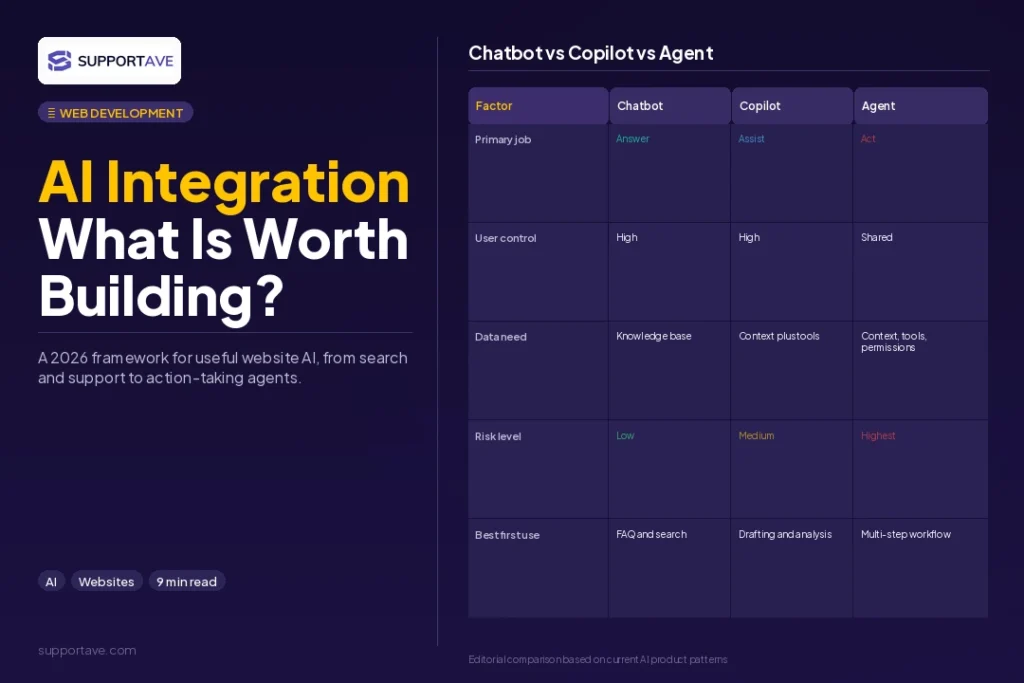
The AI Website Features Worth Building Now
1. RAG-Powered Site Chatbot
A chatbot trained on your actual product documentation, service descriptions, pricing pages, FAQs, and case studies, using RAG to retrieve relevant content before generating a response, is the single most consistently high-value AI feature for business websites in 2026.
The key implementation requirement: the chatbot must have access to well-structured, accurate, and up-to-date source documents. An AI chatbot trained on outdated product descriptions will provide outdated answers and damage trust faster than no chatbot at all. The architecture matters more than the model choice.
Development cost: $5,000 to $20,000 for a well-built RAG chatbot integrated with your existing knowledge base. Timeline: 4 to 8 weeks. The investment scales with the complexity of your content library and the depth of integration with your helpdesk. For context on how this fits alongside human support, our live chat vs AI chatbot guide covers the specific use cases where AI outperforms live agents and vice versa.
2. AI-Assisted Lead Qualification and Routing
Rather than a generic contact form that fires an email for a human to triage, an AI-assisted form analyses the submission in real time, scoring the lead by company size, stated need, and inferred intent, then routes it to the right team member, schedules a meeting automatically, or triggers a relevant email sequence.
This is the shift Aalpha’s 2026 guide described as moving from AI as productivity tool to AI as business automation layer: the language model does not just generate text but takes structured actions within your existing CRM and calendar systems.
Development cost: $3,000 to $12,000 depending on routing logic complexity and CRM integrations required. This is frequently one of the fastest-payback AI investments because it directly reduces time-to-first-response on new leads.
3. Natural Language Site Search
Standard keyword-matching search on a website is brittle. A user who searches ‘how do you handle urgent after-hours requests’ will not find anything useful if the site vocabulary uses ‘SLA’ and ’24/7 support’. AI-powered semantic search understands the intent behind a query and surfaces relevant content even when the exact keywords do not match.
For content-heavy sites with large blog archives and multiple service pages, natural language search meaningfully improves user experience and keeps visitors on-site longer. Implementation typically involves indexing your content into a vector database such as Pinecone or Weaviate and wrapping a semantic search layer around it. Development cost: $2,000 to $8,000 for a standard implementation. For reference, the Supportave blog is an example of content depth where this kind of search adds real navigational value.
4. AI-Generated Content Summaries
For long-form content, a summary block at the top of the page generated by AI and surfaced to users as ‘read this in 30 seconds’ improves user experience on mobile particularly. This is a low-cost, low-risk AI feature that delivers real utility without the hallucination risks of more generative applications. Development cost: $500 to $2,000 to implement as a template-level feature across content pages.
AI Integration Website Development: What to Evaluate Before Building
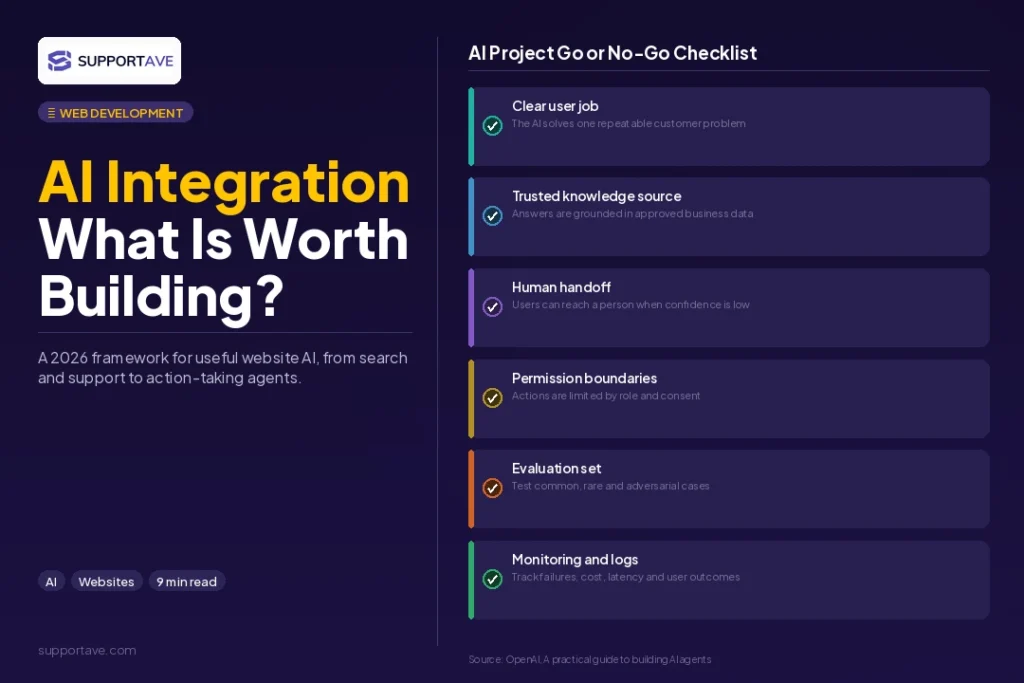
Before scoping any AI feature, work through these four questions. They determine both the right architecture and the right budget:
- What specific business problem does this feature solve, and how will you measure whether it is working? If you cannot answer this precisely, the feature is not ready to build.
- What data does the AI need access to, and is that data clean, structured, and up to date? The quality of the AI output is directly determined by the quality of the data input.
- Who maintains the underlying knowledge base or data source after launch? An AI feature that depends on outdated data produces outdated answers.
- What happens when the AI is wrong or the user needs to escalate? Every AI feature needs a clear fallback path to a human or a definitive answer. Building the escalation path is not optional.
Architecture principle: A well-designed AI system has three layers: a user interaction layer, a business context layer where relevant information is retrieved from your documents and databases, and the LLM generation layer that produces the response. Most failed AI integrations skip the business context layer, connecting users directly to a generic model with no grounding in real business information.
What to Skip For Now
AI-generated primary website copy
AI writing tools are excellent for research, drafts, and content at scale. They are not ready to be the primary brand voice on a customer-facing website without significant human editing. Visitors can identify AI-generated copy through its vocabulary patterns, structural habits, and absence of specific real-world detail. It erodes trust in direct proportion to how clearly the business positions itself as expert or premium. Use AI to speed up drafting; invest in human editing for anything customer-facing.
Product recommendation engines without sufficient data
A recommendation engine trained on limited transaction data does not recommend: it guesses. The minimum viable data requirement for a meaningful product recommendation system is typically 100,000 or more product interactions with enough diversity across products and users to identify genuine preference signals. Below that threshold, a manually curated section performs just as well and costs a fraction of the price.
Fully autonomous agents on public pages
AI agents that take autonomous actions, booking appointments, modifying account settings, initiating purchases, on behalf of users without a confirmation step and robust error handling create real business risk. The EU AI Act, which came into full effect in August 2026, introduces specific compliance requirements for high-risk AI systems. On public-facing pages, autonomous agents without proper guardrails create liability exposure that outweighs the convenience benefit for most businesses at this stage.
What AI Integration Costs in 2026
| Feature | Typical Cost | Timeline | Primary ROI Signal |
| RAG chatbot (simple, knowledge base only) | $5,000 to $12,000 | 4 to 6 weeks | Support ticket deflection rate |
| RAG chatbot (CRM-integrated with handoff) | $12,000 to $25,000 | 6 to 10 weeks | Lead capture + response time |
| AI lead qualification and routing | $3,000 to $12,000 | 3 to 6 weeks | Time-to-first-response |
| Natural language semantic search | $2,000 to $8,000 | 2 to 4 weeks | Search engagement, exit rate |
| AI content summaries | $500 to $2,000 | 1 to 2 weeks | Time on page, scroll depth |
| AI product recommendations (large catalogue) | $15,000 to $50,000+ | 8 to 16 weeks | Needs 100k+ interactions first |
Frequently Asked Questions
What is RAG and why does it matter for business websites?
RAG stands for Retrieval-Augmented Generation. It is an architecture where an AI model generates responses based on content retrieved from your specific documents, knowledge base, or database, rather than relying only on what it learned during general training. For a business website, this means a chatbot that answers questions about your actual pricing, your actual services, and your actual policies, rather than making plausible-sounding but incorrect guesses. According to multiple 2026 LLM integration guides, RAG is the architecture that separates genuinely useful business AI from expensive demos.
Can I add AI features to my existing WordPress website?
Yes, through plugins and API integrations, but with meaningful limitations. WordPress AI plugins such as Tidio AI and Intercom provide turnkey chatbot solutions. For a truly RAG-powered chatbot connected to your specific knowledge base, or for AI lead routing integrated with your CRM, you need a development team to build the integration. The plugin route is a reasonable starting point; custom development is the right choice once you have validated the use case delivers enough value to justify the investment.
How much data do I need before AI features make sense?
It depends on the feature. A RAG chatbot works well with relatively small knowledge bases: 20 to 200 well-written documents is enough to ground a useful customer-facing assistant. An AI recommendation engine needs far more: tens of thousands of product interactions before recommendations outperform a manually curated list. AI lead scoring and qualification can work with smaller datasets if the qualification criteria are clearly defined rather than purely pattern-learned from historical data.
Will AI integration affect my website’s SEO?
It depends on how it is built. Server-side rendered AI content, where the response is generated server-side and delivered as HTML, is crawlable by Google. Client-side rendered AI widgets that inject content after the page loads are generally not indexed. For SEO purposes, anything you want Google to see should be rendered server-side. AI chatbots and interactive widgets are typically client-side and do not affect crawlable content either way.
What is the biggest mistake businesses make when adding AI to their website?
Starting with the technology rather than the business problem. Businesses that decide they want a chatbot or an AI search feature before identifying the specific customer pain point it solves almost always produce features that work in a demo and generate low usage in production. The correct order is: define the problem, identify which customers experience it, determine whether AI solves it better than a simpler solution, then scope the build.
Supportave builds production-grade AI integrations for business websites, from RAG-powered chatbots to AI lead routing and semantic search. See our web development services or contact us to scope your AI integration project.